


As a UX Design student at RED Academy, I worked on an internship project for YES! Vancouver, a networking group for professional women. Our goal was to design a mobile app that would help YES! Vancouver members stay connected with each other and the organization's perks program. If our client liked the result, an app would be developed based on our design.
Our team was made up of three UX designers, including myself, and two UI designers. We conducted thorough user research, competitive analysis, planning and user testing, and created a high-fidelity prototype that addressed members' pain points such as lack of awareness of the perks program and missed networking opportunities. The app included a centralized location for sponsors (Perks Partners), a messaging system, a news feed and a user profile.
In the end, we produced a design that met the needs of our client and the members of YES! Vancouver, and eventually went into development. The experience was a great learning opportunity for us as a team, and we were thrilled to have created something that made our client happy.

YES! Vancouver is a networking group for professional women based in Vancouver, Canada. It was created with the goal to support and empower women in their professional and personal development. YES! Vancouver hosts various events and programs to support the members, such as networking events, workshops, and mentorship programs. It also has established relationships with Perk Partners, businesses and organisations that offer discounts and special offers to YES! Vancouver members. These include spas and beauty salons, educational institutions, workspace hubs, and more.
A key part of YES! Vancouver’s mission is to provide financial support to the local chapter of Dress for Success, a global non-profit organization that helps women in need gain access to professional clothing and career development advice.
YES! Vancouver had a number of ways to reach out to the members: a website, a Facebook group and an Instagram account. While this achieved the goal of establishing an online presence, the content was spread out inconsistently across these different platforms.
Each member was also issued a unique YES! Vancouver fob that they could present to the group’s sponsors, known as Perks Partners, to get a discount or a special offer (15% off a Sage essential oil kit, anyone?) However, with the physical fobs came the challenges of ordering and issuing them, replacing the lost ones, keeping track of members who have been issued or reissued a fob, and so on. A digital proof of membership would be much easier to manage.
So YES! Vancouver wanted a mobile app that would help them achieve the following goals:
Given the tight deadline of 3 weeks, our team decided to start with research to narrow the scope down to a few key objectives that would be valuable to YES! Vancouver and its members and achievable for us. At the kick-off meeting with Co-Director of Membership Experience for YES! Vancouver, we discussed the “wishlist” of goals and objectives of the app and prioritized them based on what she could tell us about the members’ needs and the organization’s goals.
The areas of focus that we identified were:
Women who join YES! Vancouver come from a variety of backgrounds. Most of them are working professionals in Vancouver, ranging from recent graduates to experienced entrepreneurs. Many of them are also actively involved in the local community, either through volunteering with local charities or taking part in events and other initiatives to promote gender equality.
To find out about their specific needs and pain points in the context of our project, we conducted phone and in-person interviews with six active members and used an affinity diagram to analyze our data.
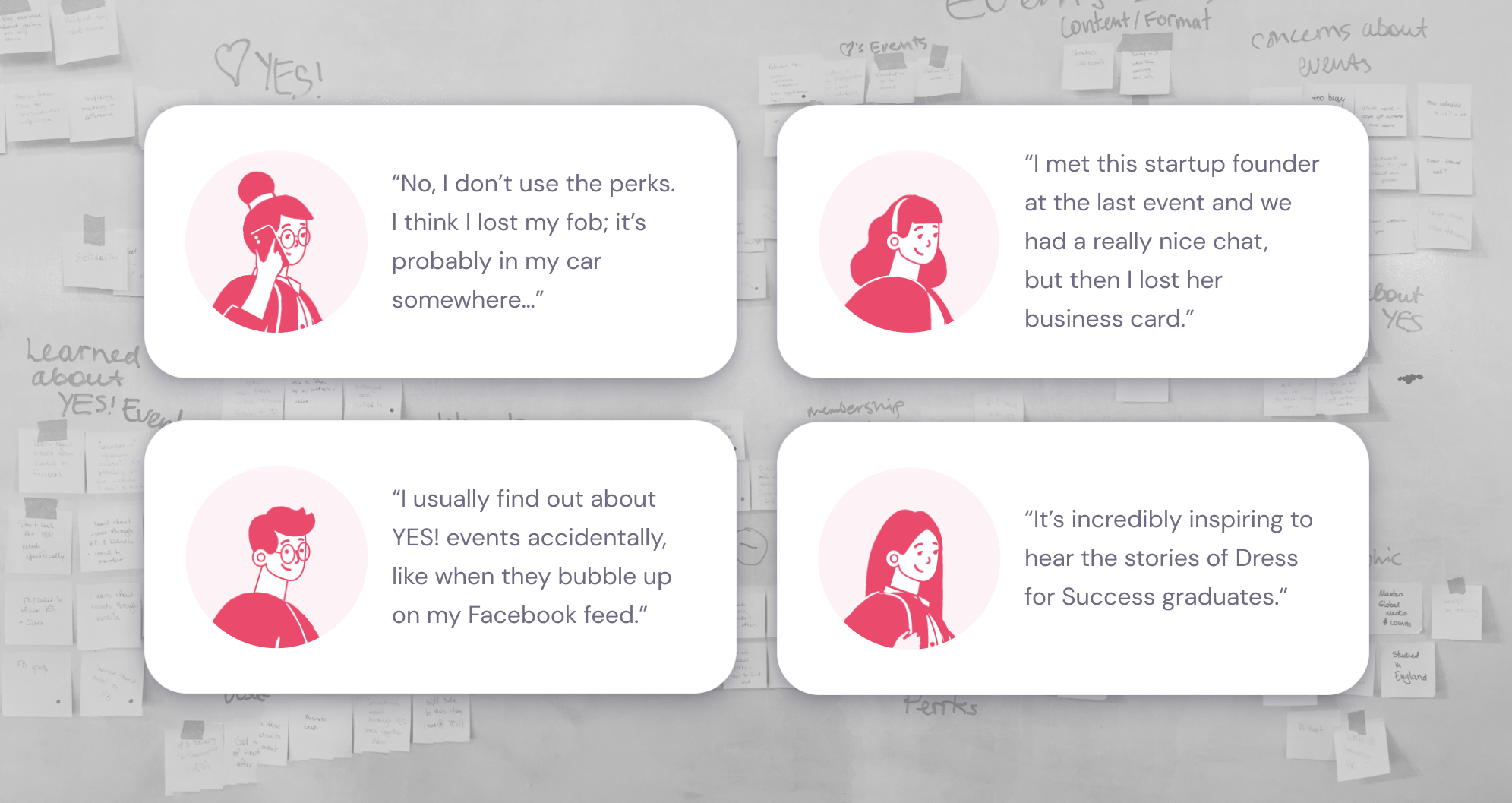
The following topics came up repeatedly in our conversations:
There was surprisingly little awareness of the perks program among YES!Vancouver members. Some of the people we spoke to had never heard of it. Others had a vague idea of the perks, but they were not sure if they included any offers they could be interested in. The fob, rarely used, non-informative and easily misplaced, did not help the matters.
Among things most valued about YES!, all interviewed members unanimously named networking and building meaningful connections. Most of our interviewees did not have much trouble connecting with others during or after the event. However, some mentioned that they had missed networking opportunities because they had lost the business card (or forgot to ask for it in the first place).
To find out about future events, most people relied on word of mouth or social media. None of our interviewees visited the website specifically to find out when the next YES! event was happening. So they could potentially miss out on some events if the notifications happened to be buried under other posts.
Several members highlighted that they found it very valuable to hear from women who they are fundraising for — the clients of Dress for Success.
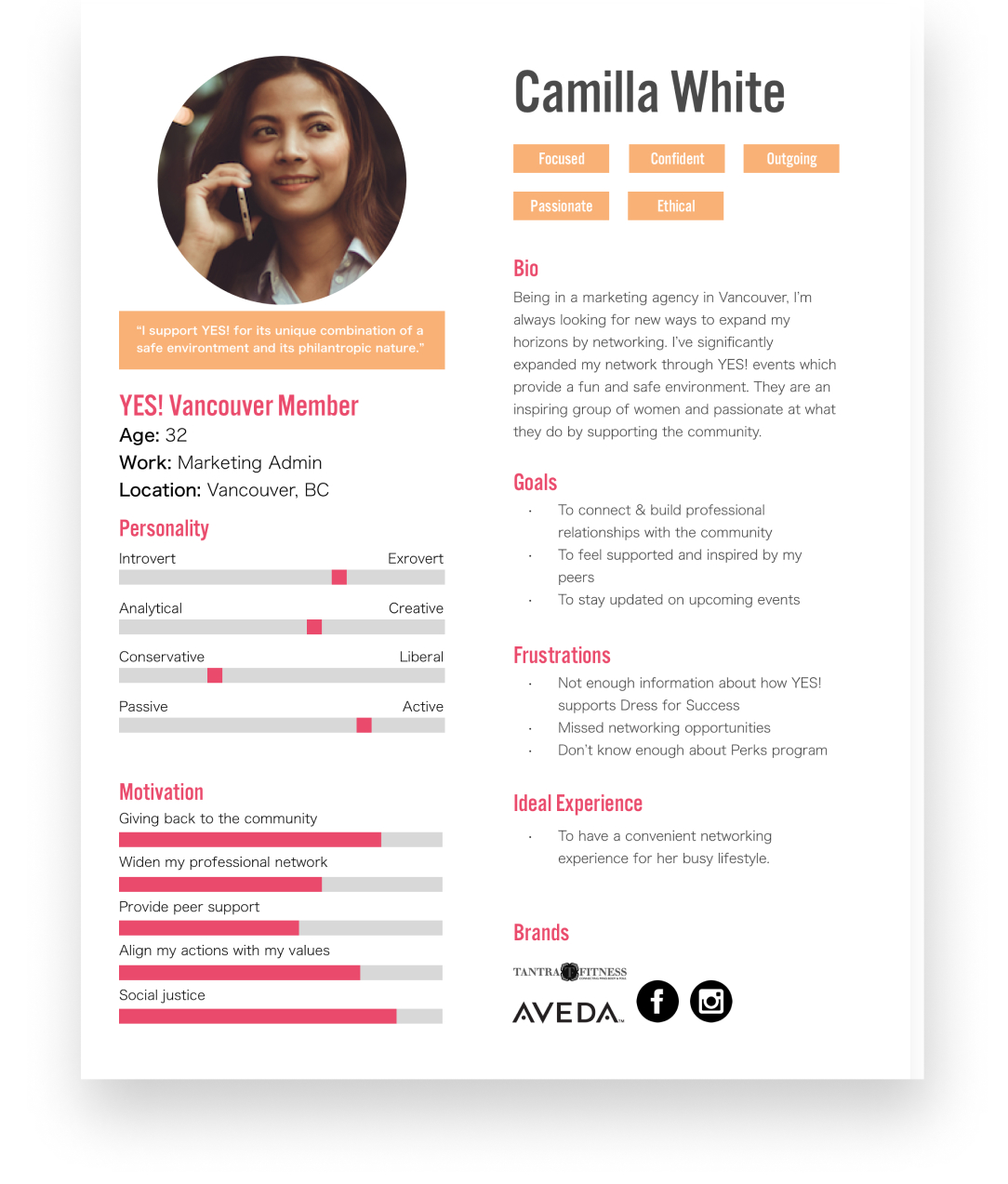
From the information we gathered during our user research, we summarised the most prominent trends and patterns into a user persona.
As a part of our project, we aimed for a solution that would also make it easier for perks partners to apply the discount. So we conducted interviews with some of the vendors as well to learn about their involvement.
YES! perks providers come from a variety of backgrounds. Some of them only have a brick-and-mortar store, while others conduct business online or, in some cases, over the phone.
Their interactions with YES! Vancouver members include:
As mentioned earlier, YES! Vancouver members have a fob that they can present to the vendor at the time of purchase. However, the fob has a few problems:
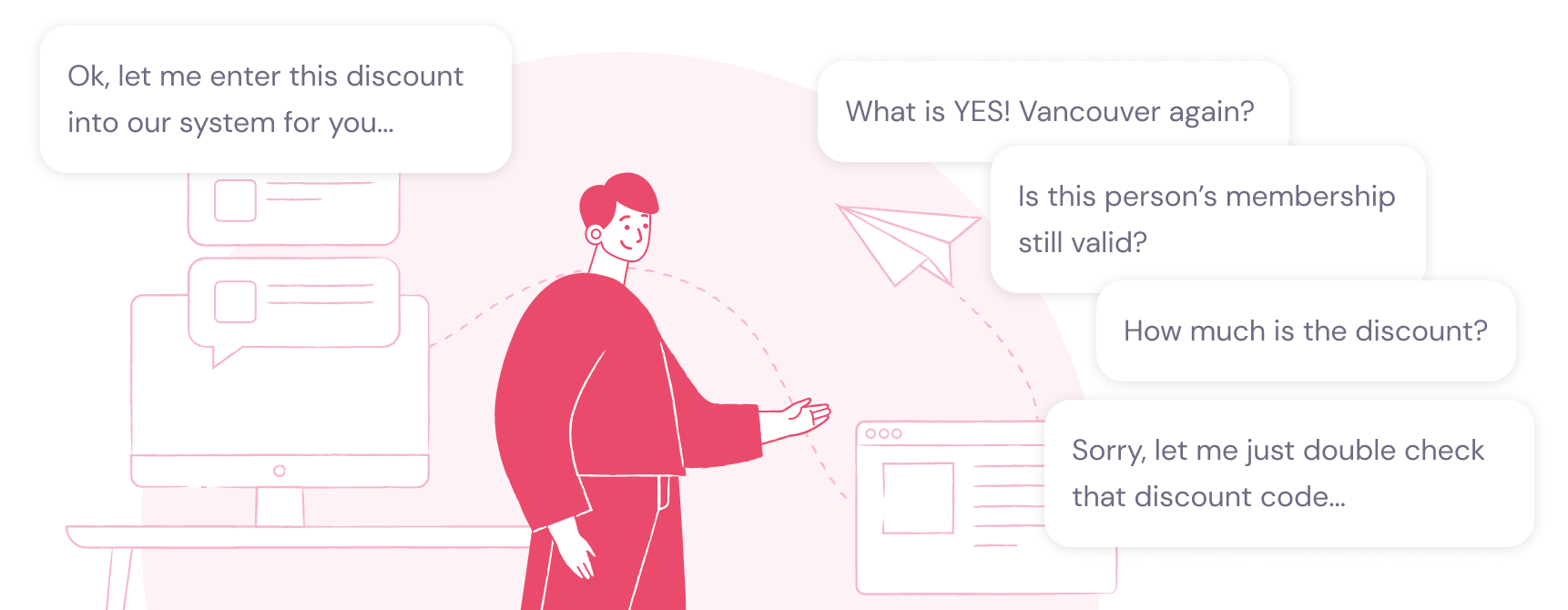
Therefore, in addition (or instead of) relying on the fob, some Perks Partners still consulted a list of current YES! Vancouver members or contacted YES! Vancouver to verify a member’s good standing before processing a discount.
When it came to applying the YES! membership discount, the Perks Parnter’s salesperson would typically adjust the purchase amount manually. They also often relied on a list or a cheat sheet of some sort to check the discount amount that YES! members were eligible for.
Overall, it felt like the entire process was based very manual, and we saw a few opportunities for improvement — more on this in the Design section!
In order to identify industry conventions and most useful features, we conducted competitive/comparative analysis.
Because the scope of our project spanned different areas of activities, we examined mobile apps and websites that handled different tasks:
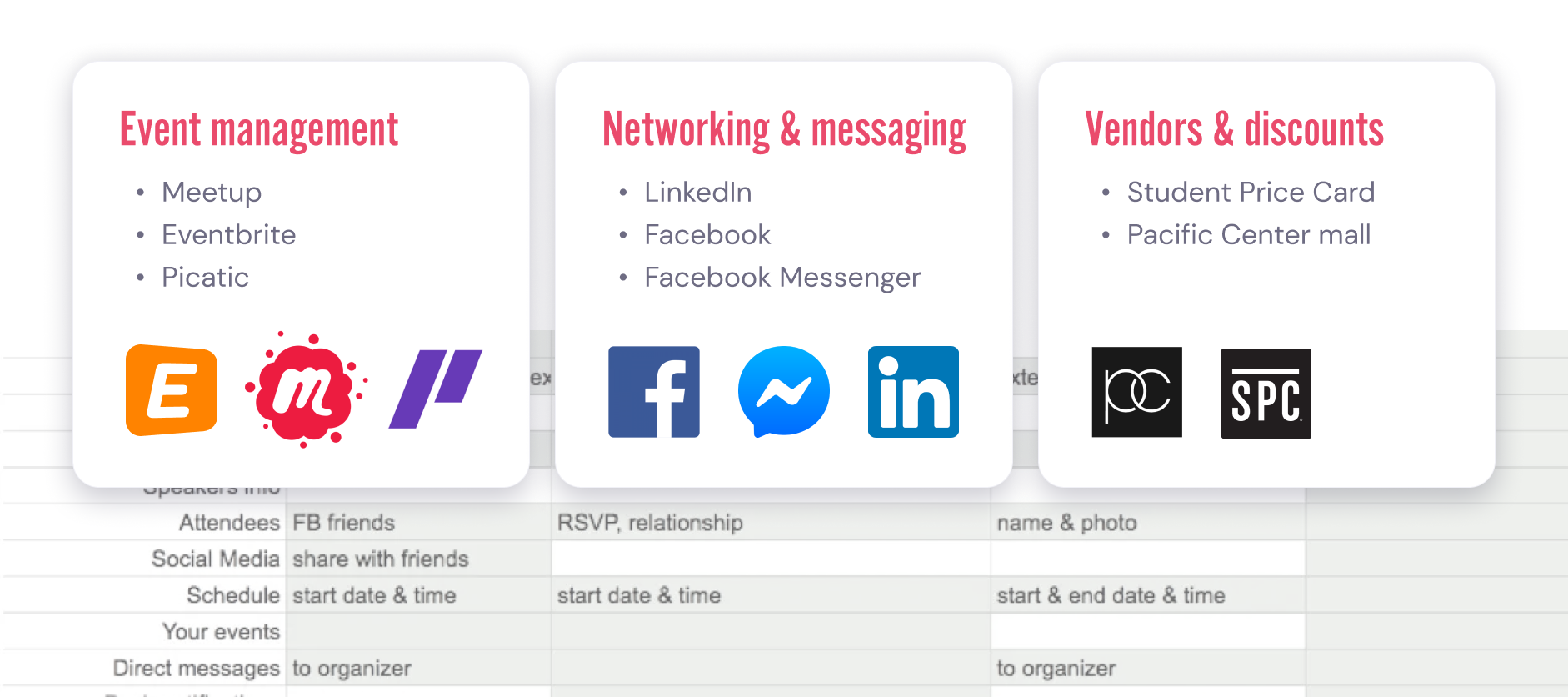
Based on our comparative analysis, we identified the key features that YES! Vancouver app should include:
Taking the information obtained during our research, we started working on the app’s information architecture.
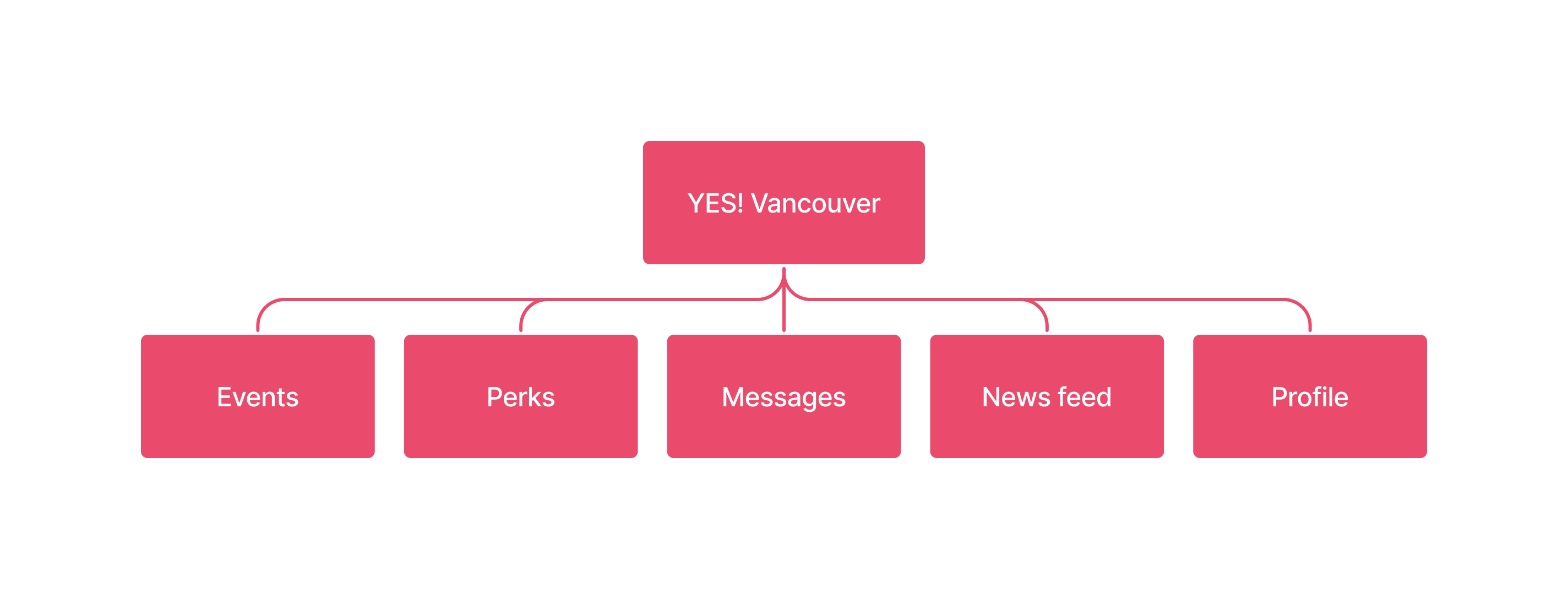
We performed an open card sorting exercise and determined the five main sections of the YES! Vancouver app:
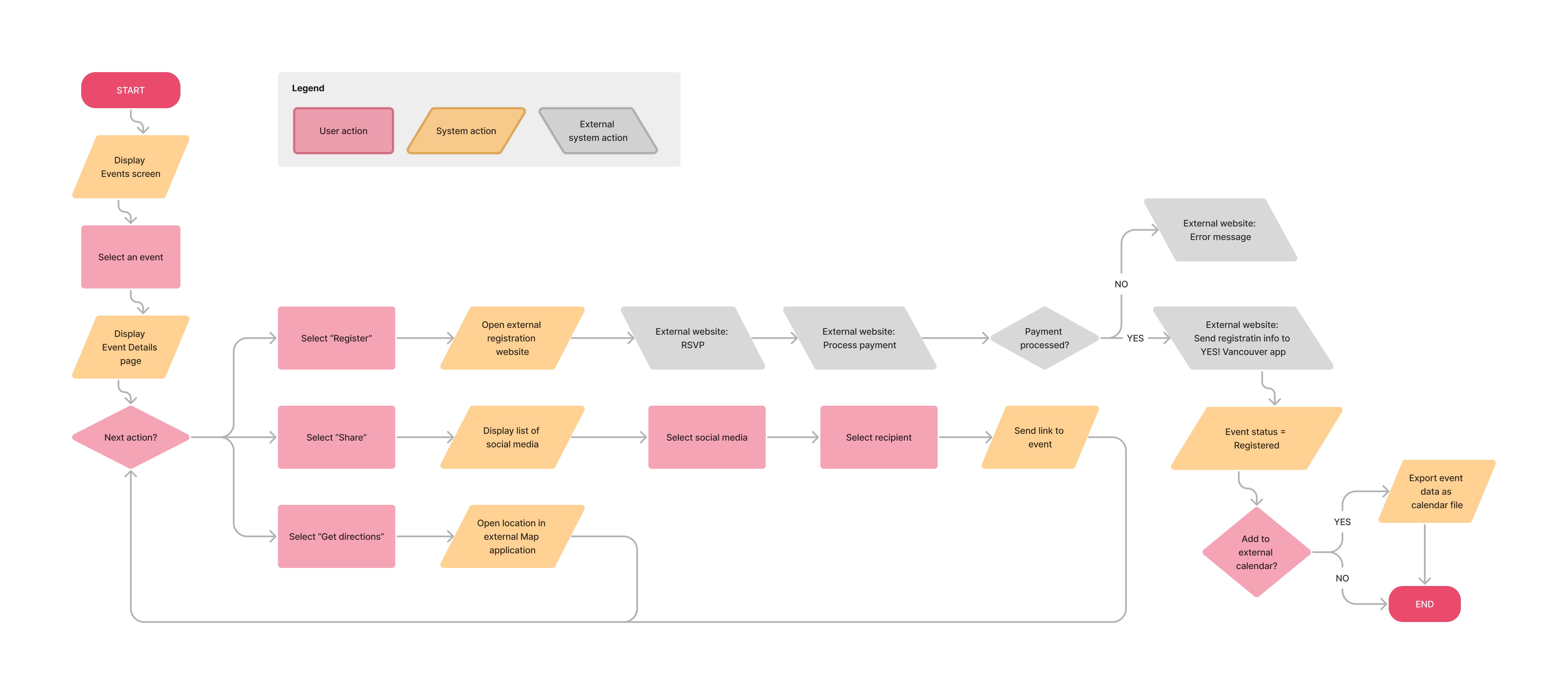
We also created user flows for each of the five sections (here’s an example):
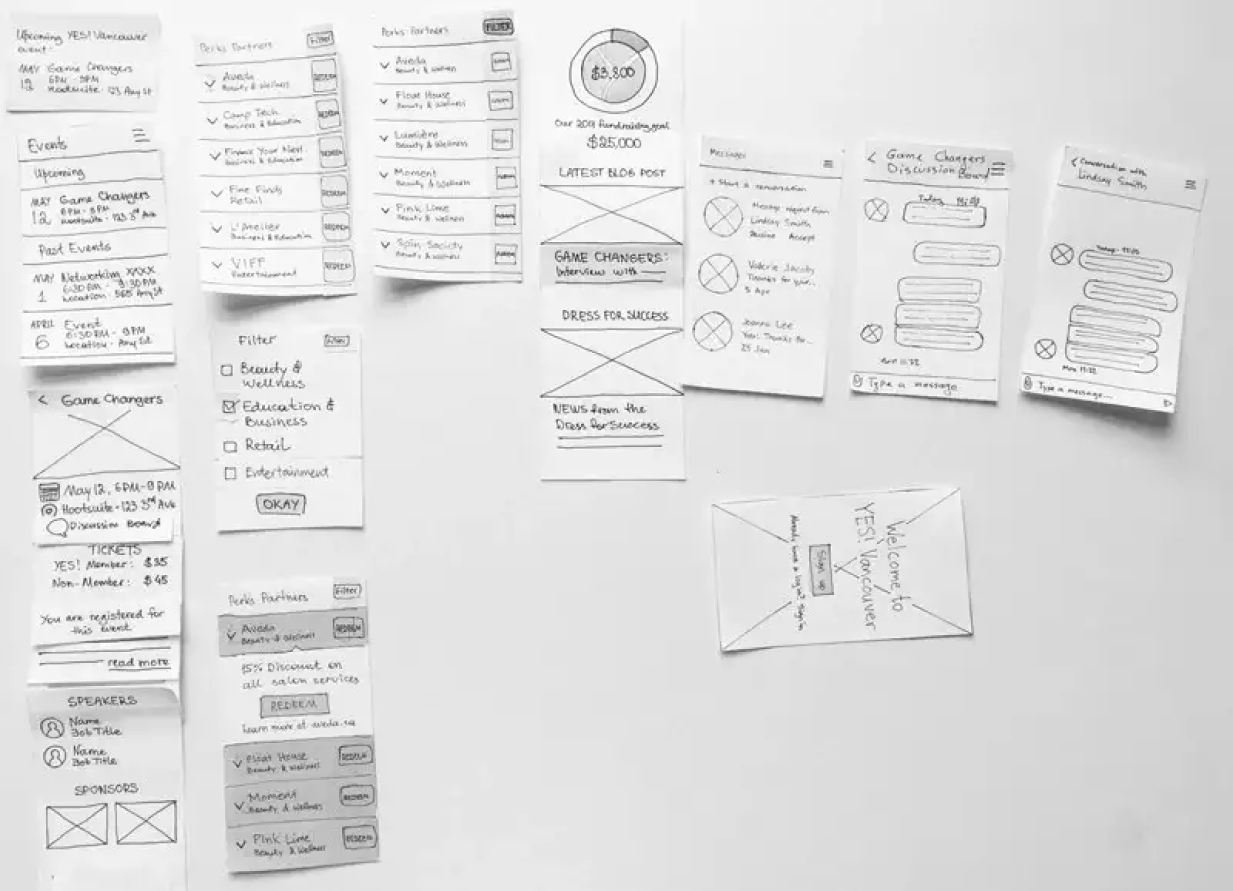
After the planning stage was completed, we drafted our first paper prototype. This allowed us to iterate rapidly and play with a variety of ideas before increasing the fidelity.
Then we moved to mid-fidelity wireframes and focused on the key features that we’d identified earlier:
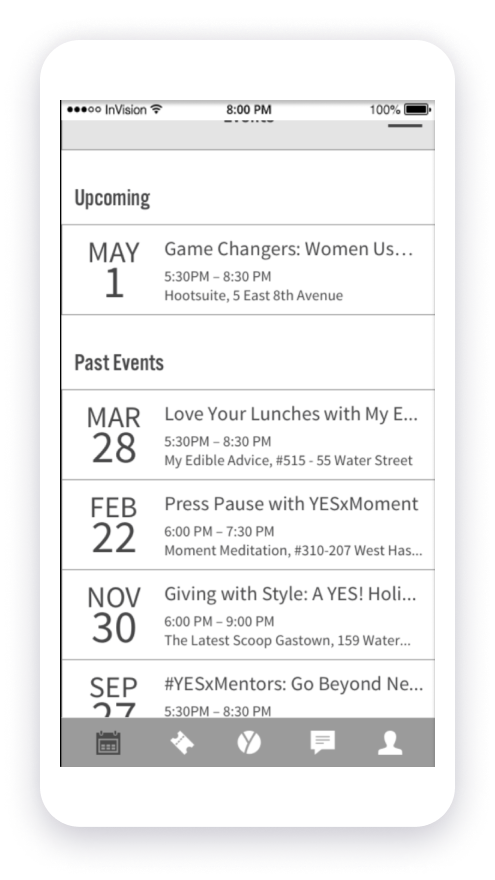
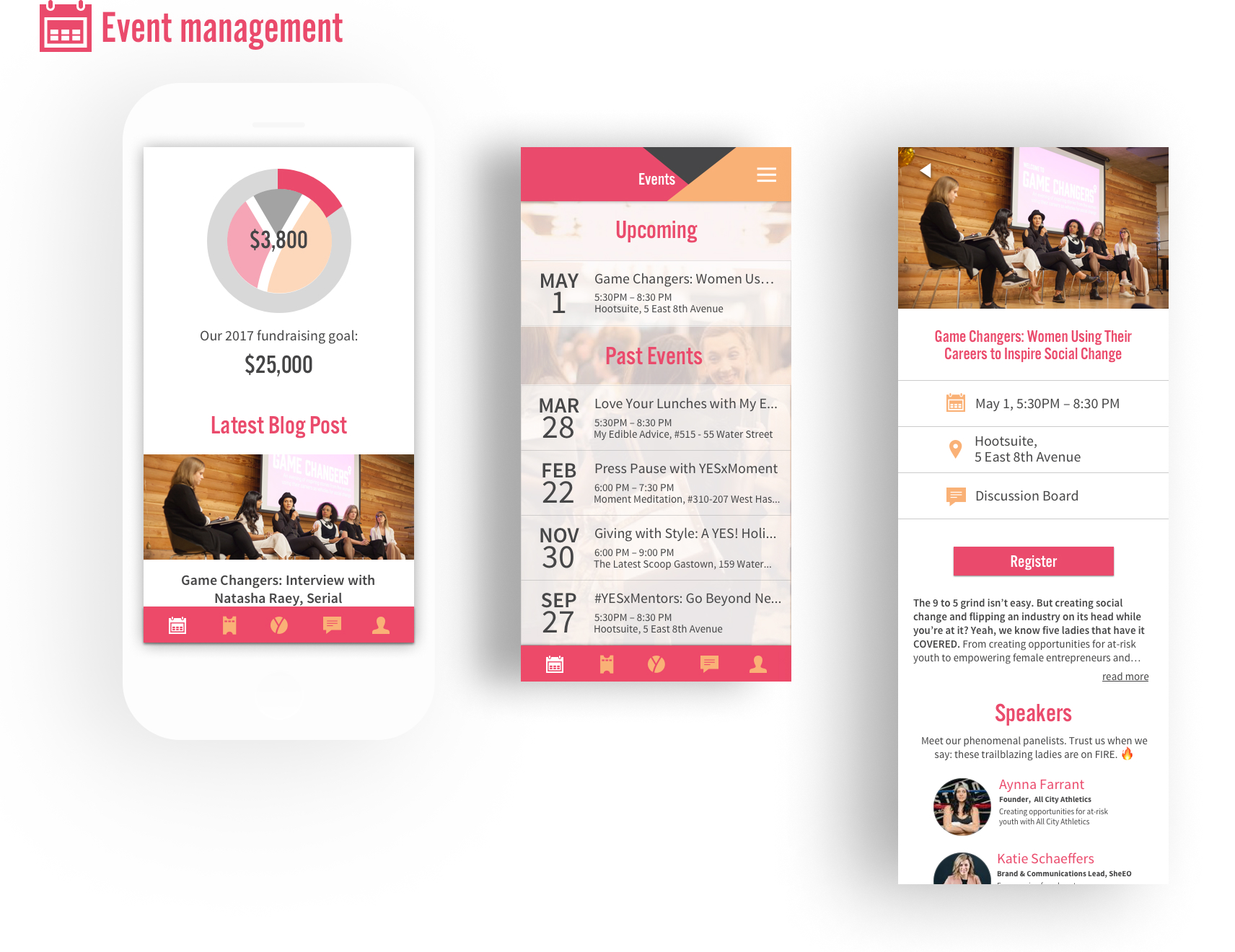
One convenient space to stay up-to-date on upcoming and past events. Here the user can:
To encourage greater participation and engagement, the app would send push notifications about new events and reminders about events that the member had registered for.
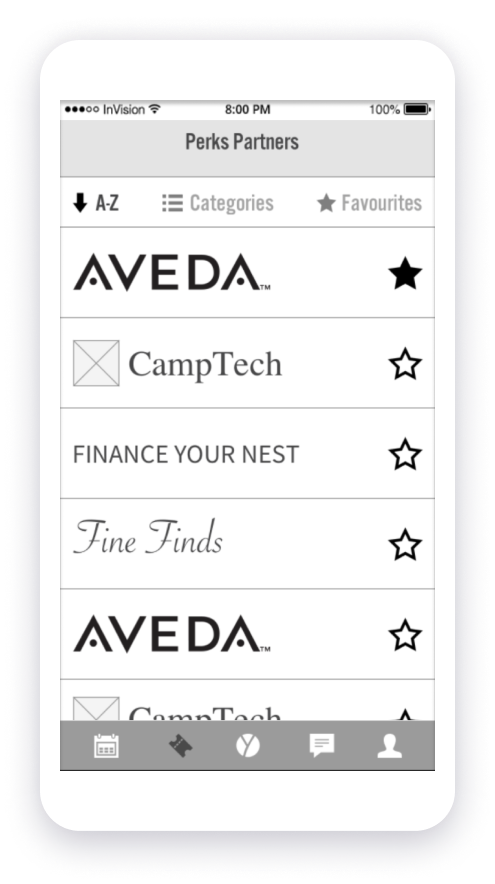
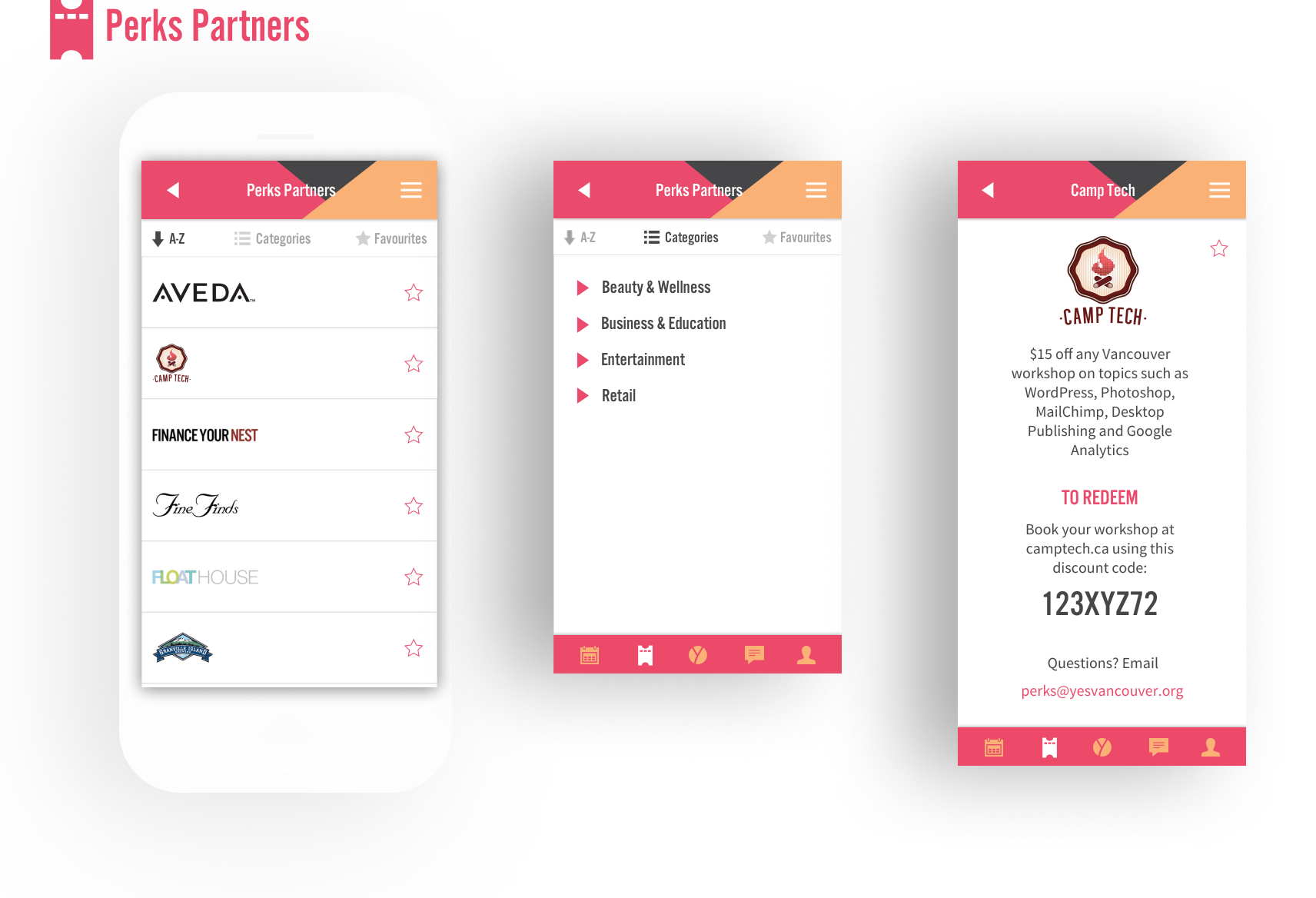
A centralized location for users to learn about and engage with Perks Partners.
To help members find offers they could be interested in, we included a view by category (for example, Wellness, Education, Tech, etc.)
The detailed information about each Perk Partner and their special offer would be provided on the Offer page.
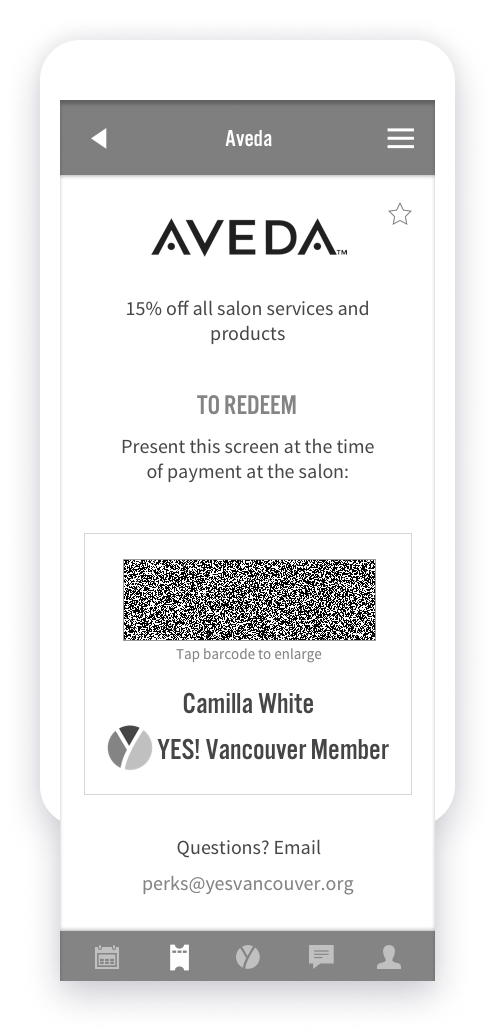
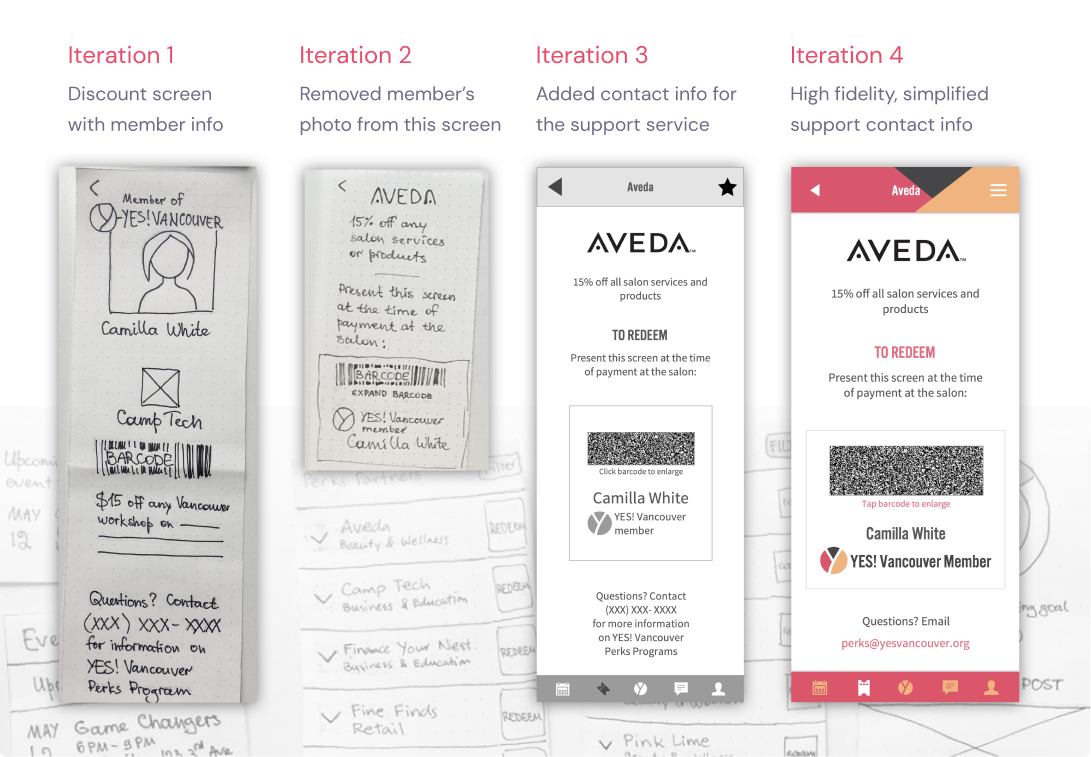
Redeeming the discount was a pain point both for YES! Vancouver members and for Perks Partners. To address that, we created an Offer screen. Not only it provided information on offer details to the members, but it could also be presented to the Perks Partner at the time of purchase.
The Offer screen had several strong advantages over the physical fob:
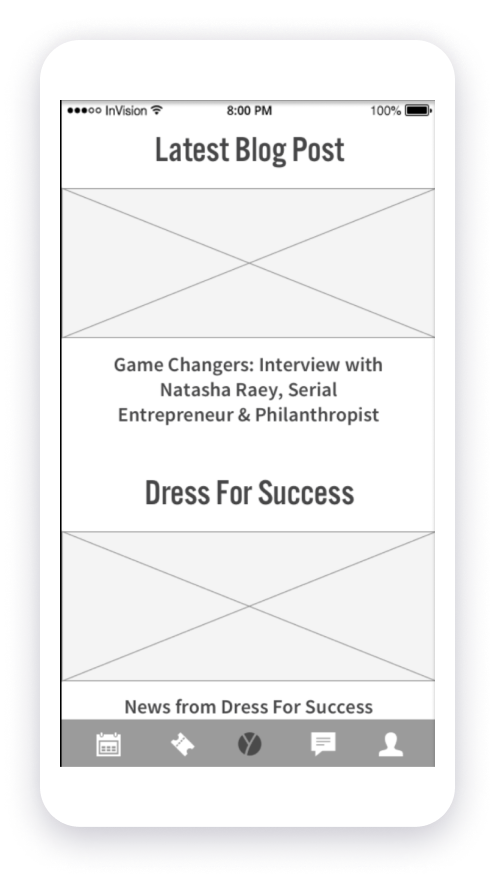
The News Feed would keep members updated on YES! Vancouver's activities and goals.
Regular updates from Dress for Success and their participants and graduates would appear here as well. They would serve as a great motivation for YES! Vancouver members and remind them of the organization's mission to support and empower women in their professional and personal development.
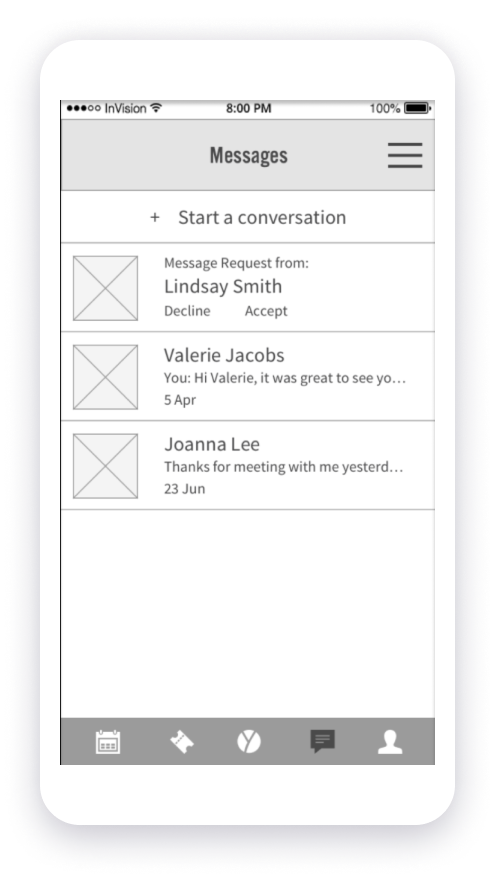
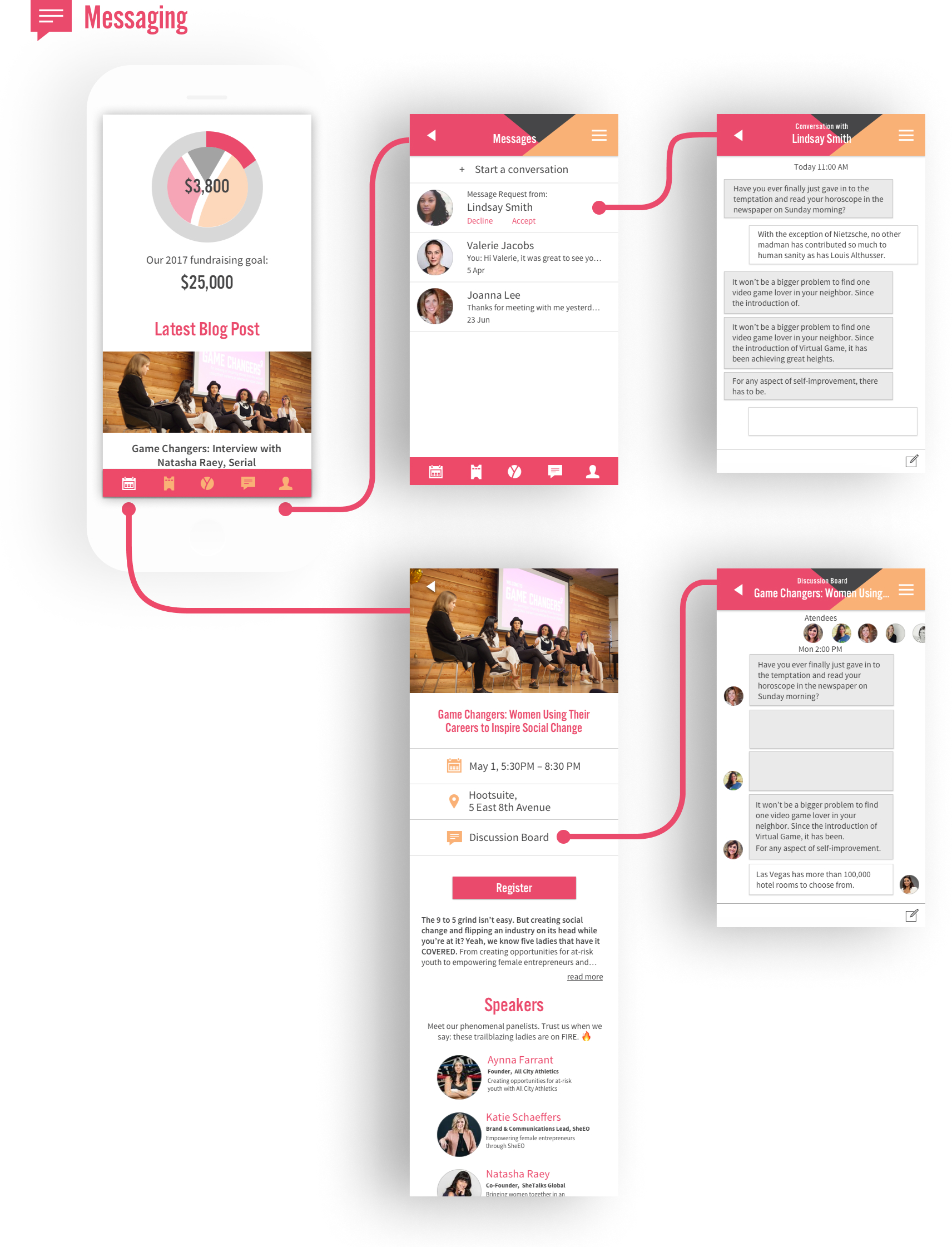
Messaging in YES! Vancouver app would come in two flavours: Direct Messaging and Event Discussion Board.
Both features would be aimed at facilitating networking and building meaningful connections among members, which is a key goal of the YES! Vancouver community. They would also keep members engaged and informed about upcoming events, promoting attendance and fostering community involvement.
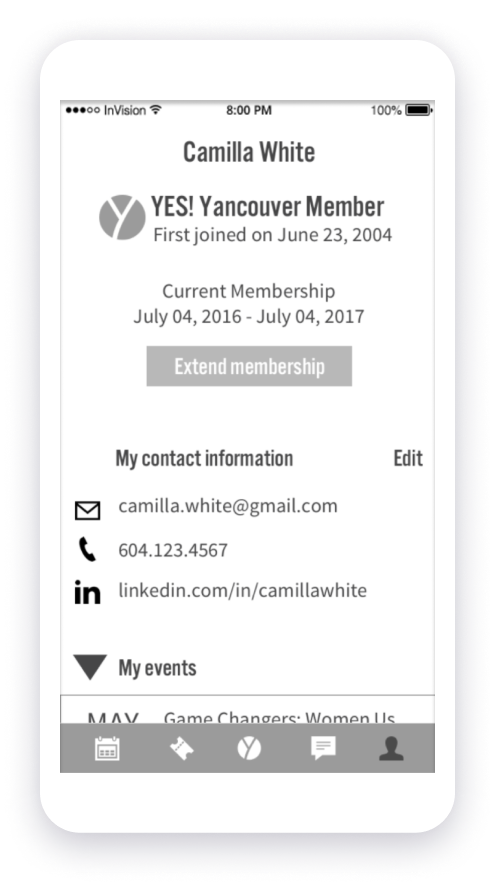
In their Profile section, the user would be able to:
A push notification would inform the user when their membership expiry date approached, so that they could extend their membership before it expired and keep access to all events and perks.
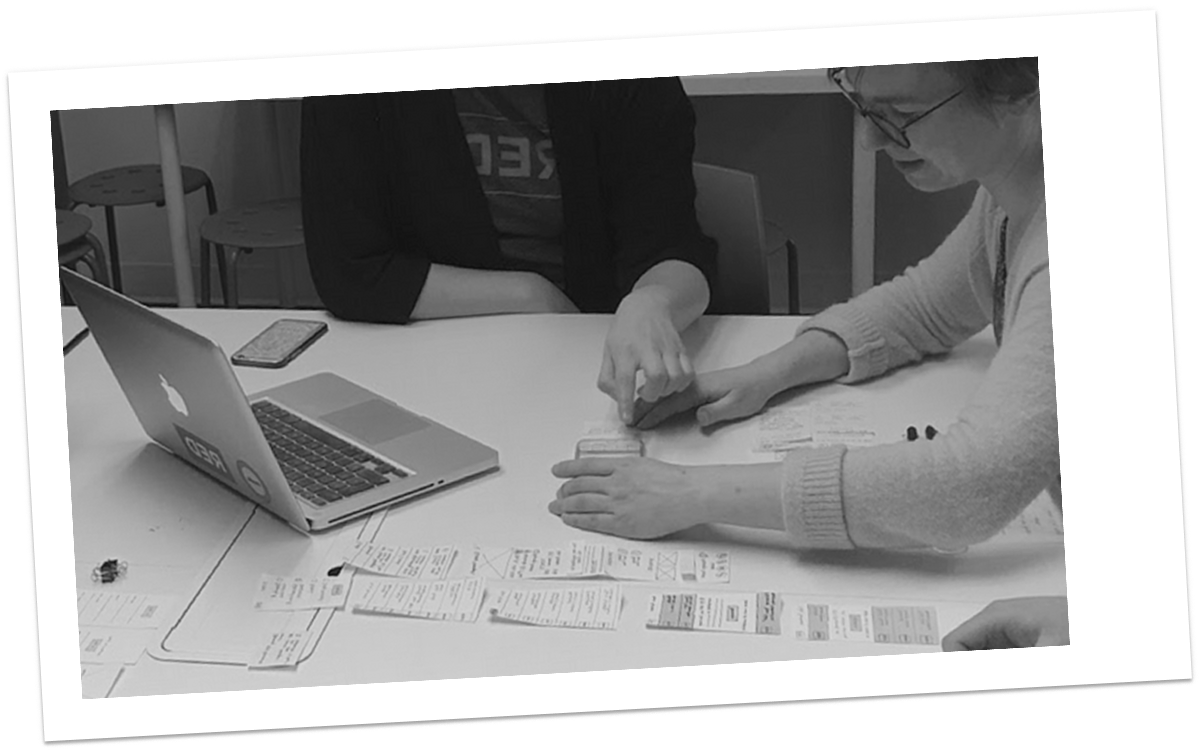
While we were sketching out the paper prototype, we did some rapid-fire workflow testing within our UX team to identify the most obvious flaws and generate more ideas. The last paper prototype test was conducted with a YES! Vancouver member to validate our assumptions before increasing fidelity.
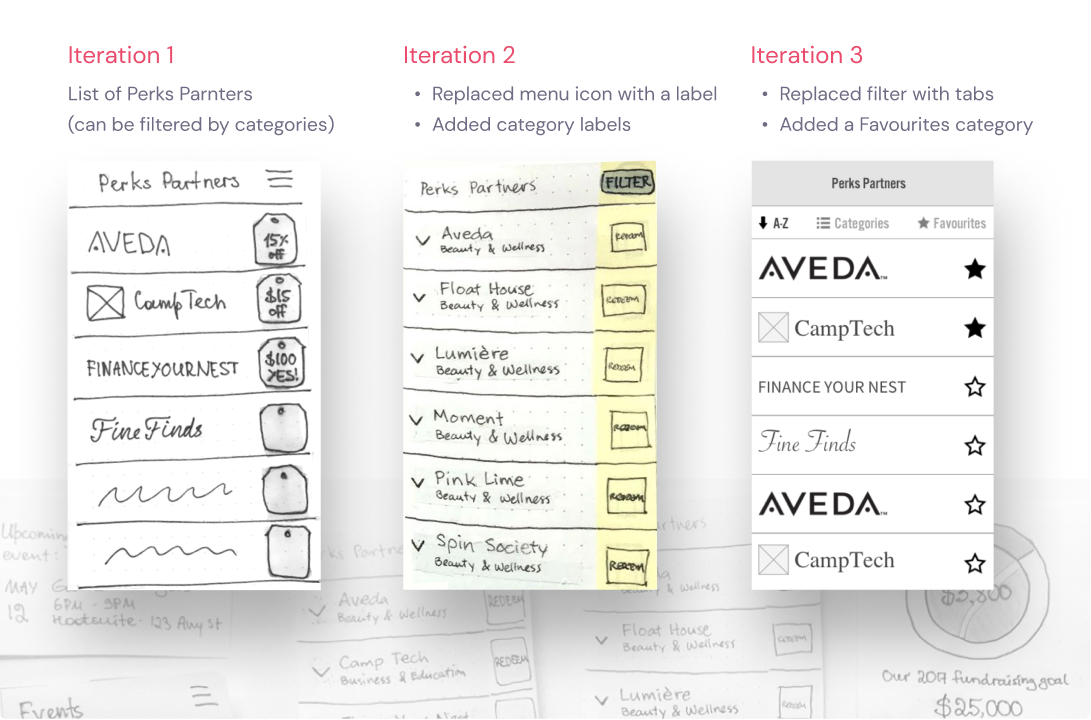
The Perks Partners list underwent some of the most dramatic changes throughout the testing. Sort and filter options from the paper prototype had been modified a couple of times, and eventually were replaced by tabs in the mid-fidelity version.
We also added a Favourites category, which was not a part of the original design, but came up repeatedly in our user tests.
The Offer screen also saw a few modifications. Initially this screen included a photo of the YES! member (something that Perks Partner representatives found useful). However, YES! members themselves were confused by it, because it made the Offer page look like their Profile. So we removed the photo from the design and moved the member’s name below the offer information.
We also made the instructions on redeeming the offer more explicit and clear.
Three weeks after our kick-off meeting, we presented the final high-fidelity prototype to YES! Vancouver, and it was very warmly received.
As it our first client project, everyone on the team was pretty nervous! However, we worked smoothly as a team, stayed focused on our goals, worked hard, and in the end were able to design a fairly complex mobile app from scratch in just three weeks. Not only it was a great learning experience, but we were actually able to produce a design that made our client happy and eventually went into development. Pretty good for the first try!